Gesture Recognition Technology: Types, Uses & How It Works
 Mian Bilal Ch
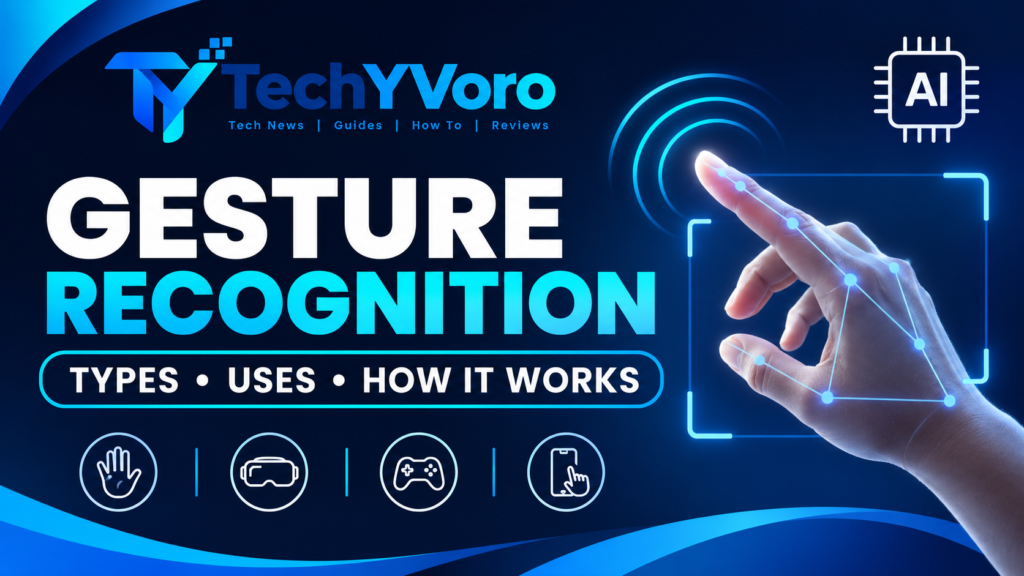
Gesture recognition technology allows computers and smart devices to identify and interpret human movements, such as hand gestures, finger positions, and body movements. It uses cameras, sensors, computer vision, and sometimes artificial intelligence (AI) to convert physical movements into digital commands. This technology powers touchless controls in smartphones, gaming systems, smart TVs, virtual reality devices, robotics, and other connected technologies.
Quick Answer: What Is Gesture Recognition Technology?
Gesture recognition technology is a method of human-computer interaction that enables devices to recognize predefined human movements and translate them into commands. Depending on the system, it can use cameras, infrared sensors, radar, or wearable devices to detect gestures. AI and machine learning can help classify complex movements, allowing users to control compatible devices without directly touching their interfaces.
Readers interested in online safety can also explore Cybersecurity Updates 2026 to learn about the latest cyber threats, security trends, and practical tips for protecting their devices and personal information.
How Does Gesture Recognition Technology Work?
Gesture recognition systems follow a series of steps to identify movements and determine which action a user intends to perform. The exact process depends on the hardware and recognition method, but most camera-based systems follow a similar pipeline.
On-Device, Real-Time Hand Tracking with MediaPipe
research.google
1. Capturing Hand or Body Movement
The process starts when a camera or sensor captures the user’s movement.
For example, a camera connected to a smart display may capture someone raising their hand or moving a finger. A sensor-based system may instead measure changes in motion, position, or muscle activity.
Common input devices include:
- RGB cameras
- Depth cameras
- Infrared sensors
- Motion sensors
- Radar systems
- Wearable tracking devices
The captured information becomes the input for the recognition system.
2. Preprocessing the Input
Raw camera images and sensor readings can contain unwanted information, such as background movement, lighting variations, or electronic noise.
Preprocessing helps prepare the input for analysis.
Depending on the system, this stage may include:
- Image resizing and normalization
- Noise reduction
- Background filtering
- Contrast adjustment
- Sensor signal filtering
These operations help the system focus on useful movement information.
3. Detecting and Tracking Gestures
After preprocessing, the system identifies the relevant body part or movement.
For hand gesture recognition, computer vision models may detect the hand and estimate important points around the fingers, joints, and palm.
Tracking then follows these points across multiple frames.
For example, when a person moves their hand from left to right, the system tracks the changing hand position over time.
4. Extracting Features
Feature extraction identifies the characteristics that help distinguish one gesture from another.
For hand gestures, useful features may include:
- Finger positions
- Distance between fingertips
- Palm orientation
- Finger angles
- Hand shape
- Movement direction
- Movement speed
A thumbs-up gesture, for example, has a different finger configuration from an open palm.
5. Classifying and Interpreting Gestures
The system analyzes the extracted information and determines which recognized gesture matches the input.
Machine learning and deep learning models can perform this classification.
A recognition system might distinguish between:
- Open palm
- Closed fist
- Thumbs-up
- Left swipe
- Right swipe
The classification process may also use confidence scores to determine whether a detected gesture is reliable enough to trigger an action.
Importantly, recognizing a gesture and understanding its intended meaning are not always the same thing. The software needs predefined rules or contextual information to interpret what the gesture should do.
6. Executing the Command
Once the system recognizes a valid gesture, it maps that gesture to an action.
For example:
| Recognized gesture | Possible command |
|---|---|
| Open palm | Pause playback |
| Right swipe | Next track |
| Left swipe | Previous track |
| Thumbs-up | Confirm selection |
| Pinch gesture | Zoom in or select |
The device then performs the corresponding action.
This completes the basic gesture recognition process.
Readers interested in software development can also explore How to Develop Oxzep7 Software to learn about its development process, essential steps, and technical considerations.
What Are the Different Types of Gesture Recognition?
Gesture recognition can be classified in several ways, depending on the movement being recognized, the body part involved, and the technology used to capture the input.
Static Gesture Recognition
Static gesture recognition identifies a hand or body position that remains relatively fixed.
It focuses on the shape and configuration of a gesture rather than requiring continuous movement.
Three different hand positions. Closed hand, open hand and like
Examples include:
- Thumbs-up
- Open palm
- Closed fist
- Victory sign
A smart device could recognize a predefined thumbs-up gesture as a confirmation command.
Dynamic Gesture Recognition
Dynamic gesture recognition identifies movements that change over time.
Unlike static recognition, it analyzes a sequence of positions or movements rather than a single hand shape.
End-to-End Ultrasonic Hand Gesture Recognition | MDPI
Examples include:
- Waving a hand
- Swiping left or right
- Drawing a shape in the air
- Moving a hand upward or downward
Dynamic recognition is particularly useful in gaming, virtual reality, and touchless interfaces.
Hand Gesture Recognition
Hand gesture recognition focuses specifically on hand shapes, finger positions, and movements.
It commonly uses computer vision, hand tracking, and machine learning to recognize predefined gestures.
Possible applications include:
- Controlling smart devices
- Navigating digital menus
- Interacting with virtual objects
- Supporting certain accessibility interfaces
Full-Body Gesture Recognition
Full-body gesture recognition analyzes larger body movements, including arm positions, posture, and movement patterns.
It may use cameras, depth sensors, or wearable motion sensors.
Examples include:
- Raising both arms
- Walking or stepping movements
- Body poses in fitness applications
- Full-body movements in interactive gaming
This approach is useful when an application needs more than hand or finger movements.
Camera-Based vs. Sensor-Based Gesture Recognition
Gesture recognition systems also differ according to how they collect movement information.
| Feature | Camera-based recognition | Sensor-based recognition |
|---|---|---|
| Input method | Images or video | Motion or other sensor signals |
| Common hardware | RGB and depth cameras | IMUs, infrared, radar, EMG |
| Contact required | Usually no | Depends on the sensor |
| Visual information | Available | Usually limited |
| Environmental effects | Lighting and visibility can matter | Sensor placement and interference can matter |
| Common applications | Smart displays, AR/VR, gaming | Wearables, robotics, specialized controls |
Camera-based recognition uses visual information to detect hands, body positions, and movements.
Sensor-based recognition relies on physical measurements. For example, an inertial measurement unit (IMU) can measure acceleration and angular velocity to help track movement.
Some systems combine multiple input sources. This is called multimodal sensing or sensor fusion.
What Technologies Power Gesture Recognition?
Modern gesture recognition combines several technologies to identify movements and convert them into useful commands.
Computer Vision
Computer vision enables computers to process and analyze images and video.
In gesture recognition, it can help detect hands, identify body positions, track movement, and estimate important landmarks.
For example, a camera-based system may identify the positions of 21 hand landmarks and use their relationships to classify a gesture.
Artificial Intelligence and Machine Learning
Artificial intelligence allows gesture recognition systems to analyze input and make predictions based on learned patterns.
Machine learning models can be trained using gesture examples so they can distinguish between different hand shapes and movements.
Their performance depends on factors such as training data, model design, and environmental conditions.
Deep Learning
Deep learning uses multilayer neural networks to learn complex patterns from data.
It can support gesture classification, body-pose estimation, and recognition of movement sequences.
Some systems use convolutional neural networks for image-based recognition, while others use temporal models to analyze movements across multiple frames.
Depth Sensing
Depth sensing measures the distance between objects and the sensor.
Unlike ordinary RGB cameras, depth cameras can provide additional spatial information about a hand or body.
This can help applications distinguish between objects at different distances and understand certain three-dimensional movements.
Infrared and Radar Technology
Infrared sensors detect infrared radiation or use active infrared illumination, depending on the hardware.
Radar systems use radio waves to detect movement and can support certain touchless interaction systems.
These technologies may be useful when ordinary camera-based recognition is unsuitable, although their capabilities and limitations differ.
Wearable Sensors
Wearable sensors collect movement information from devices attached to the body.
Examples include:
- Smartwatches
- Motion-tracking bands
- IMU-equipped gloves
- Specialized gesture-control devices
- Electromyography (EMG) sensors
EMG systems measure electrical activity associated with muscle activation. They can support gesture-related input without relying entirely on visual tracking.
Readers interested in artificial intelligence can also explore Goseboze AI Tools to discover different AI products, their features, and how to compare useful AI tools.
Real-World Applications of Gesture Recognition Technology
Gesture recognition is used across different industries to make digital interactions more flexible and, in some situations, reduce the need for physical contact.
About the TCL Group-TCL Advanced Technology -TCL South Korea
Top 5 hand tracking games on Meta Quest | Alt Lab VR
13
1. Smartphones and Smart TVs
Some smartphones and smart devices support gesture-based navigation and control.
Depending on the model, users may interact through screen gestures, camera-based hand movements, or motion sensors.
Smart TVs can also support gesture controls through compatible cameras or external hardware.
Possible functions include navigating menus, adjusting playback, and controlling selected settings.
2. Gaming
Gesture recognition can make gaming more interactive by allowing players to control certain actions through body movements.
Motion-tracking technologies can recognize movements such as swinging, reaching, or changing body positions.
These interactions are particularly useful in compatible motion-controlled games and immersive experiences.
3. Virtual Reality and Augmented Reality
Virtual reality (VR) and augmented reality (AR) applications can use hand tracking to let users interact with digital objects.
For example, a user may:
- Point toward a virtual object.
- Pinch to select an item.
- Move a hand to reposition an object.
- Use predefined gestures to navigate menus.
Gesture-based interaction can make spatial computing experiences more natural, although tracking quality and device compatibility remain important.
4. Automotive Systems
Some vehicles support gesture-based controls for selected infotainment functions.
Depending on the vehicle and manufacturer, a driver may use predefined hand movements to adjust audio or interact with compatible interfaces.
However, gesture controls must be designed carefully to avoid distraction.
Safety-critical vehicle functions should not depend on gestures that are difficult to perform or interpret reliably.
5. Healthcare
Gesture recognition has potential applications in healthcare and medical technology.
Examples include:
- Touchless interaction with compatible medical interfaces.
- Rehabilitation movement tracking.
- Certain physical therapy monitoring applications.
- Gesture-based accessibility tools.
However, medical applications require appropriate validation, privacy safeguards, and reliability. A general gesture recognition model should not be treated as a medically validated diagnostic system.
6. Smart Homes
Smart home systems can use gesture recognition to control compatible devices.
For example, a predefined hand movement could trigger a connected light or control media playback.
Possible applications include:
- Smart lighting
- Connected entertainment systems
- Compatible home automation controls
- Touchless device interfaces
The actual functionality depends on the sensors, software, and smart home platform.
7. Robotics
Robotics systems can use gesture recognition to interpret predefined human movements.
A person might use a specific hand signal to communicate a command to a compatible robot.
This can support research, industrial interfaces, and human-robot interaction.
8. Accessibility
Gesture recognition can provide alternative ways for people to interact with digital devices.
For example, certain systems may support custom movements for navigation or selection.
However, accessibility solutions must account for different movement abilities and avoid assuming that every user can perform the same gestures.
Gesture recognition is also not automatically equivalent to sign language translation. Full sign language understanding requires much more than recognizing isolated hand positions.
What Are the Advantages and Disadvantages of Gesture Recognition?
Gesture recognition offers several interaction benefits, but it also introduces technical and usability challenges.
| Advantages | Disadvantages |
|---|---|
| Supports touchless interaction | Can produce false detections |
| Allows hands-free controls in suitable systems | Some gestures may be tiring |
| Can make interfaces more interactive | Lighting can affect camera-based systems |
| Supports certain accessibility needs | Hand or body movements may be obstructed |
| Useful in VR and spatial computing | Hardware and development costs can vary |
| Offers alternative input methods | Privacy concerns may arise |
| Can simplify selected device controls | Not suitable for every task |
Main advantages
- Touchless interaction: Users can operate compatible systems without directly touching a physical interface.
- Natural interaction: Certain movements can feel intuitive when they match the task.
- Hands-free control: Useful when a person’s hands are occupied or when physical contact is inconvenient.
- Immersive experiences: Supports interactions with virtual and augmented objects.
- Flexible device control: Allows developers to create alternative input methods.
Main disadvantages
- Environmental limitations: Lighting, background conditions, and sensor placement can affect recognition.
- Occlusion: A hand or body part may become hidden behind another object.
- False positives: A system may interpret an unintended movement as a command.
- Gesture fatigue: Holding arms in the air for extended periods can become uncomfortable.
- Privacy: Camera-based systems may collect visual information that requires appropriate protection.
- Compatibility: Different devices may support different sensors and gesture sets.
What Challenges Affect Gesture Recognition Accuracy?
Gesture recognition accuracy depends on the complete system, including its hardware, software, training data, and operating environment.
Lighting Conditions
Camera-based systems may struggle with very low light, strong glare, or difficult lighting conditions.
The effect depends on the camera and image-processing method.
Occlusion
Occlusion occurs when an object blocks part of the hand or body from the sensor.
For example, a camera may lose track of certain fingers when one hand covers another.
User Variation
People perform gestures differently.
Hand size, movement speed, posture, and individual movement patterns can affect recognition.
A system designed around a limited set of users may not work equally well for everyone.
False Positives
False positives happen when the system recognizes an unintended movement as a valid gesture.
For example, an ordinary hand movement might accidentally trigger a command.
Confidence thresholds, gesture confirmation, and contextual filtering can help reduce this problem.
Latency
Latency is the delay between performing a gesture and receiving the system’s response.
High latency can make an interface feel slow or unresponsive.
Efficient models, suitable hardware, and optimized processing pipelines can help reduce delays.
Privacy and Security
Camera-based gesture recognition can involve sensitive visual information.
Developers should consider:
- Camera permission controls.
- Clear user consent.
- Data minimization.
- Secure storage and transmission.
- On-device processing where practical.
- Transparent privacy policies.
Gesture systems should collect only the information necessary for their intended functions.
Readers interested in modern technology and digital innovation can also explore Aggr8Tech Digital Technology to learn more about its technology insights, digital trends, and developments.
How Is AI Improving Gesture Recognition?
AI is helping gesture recognition systems identify more complex movements and handle different interaction scenarios.
Better Hand Tracking
Modern computer vision models can estimate hand landmarks and follow their positions across video frames.
This can support more detailed finger and hand interactions.
Context Awareness
AI models can use surrounding information to help distinguish between intended commands and ordinary movements.
For example, the same hand movement may have different meanings depending on the application or interaction context.
Multimodal Interaction
Gesture recognition can be combined with voice, touch, and other sensor inputs.
This allows users to interact with devices through multiple input methods.
Edge AI
Edge AI allows compatible models to run directly on local devices rather than sending every input to a remote server.
Depending on the implementation, this can reduce network dependence and improve response times while offering privacy advantages.
However, local processing does not automatically guarantee privacy. Data collection and storage policies still matter.
When Should You Use Gesture Recognition?
Gesture recognition is useful when movements provide a practical alternative to traditional controls.
It may be suitable for:
- VR and AR interactions.
- Touchless interfaces.
- Interactive displays.
- Selected smart home controls.
- Motion-based gaming.
- Specialized accessibility applications.
- Certain robotics interfaces.
It may not be the best choice when:
- Users need precise text input.
- The environment makes tracking unreliable.
- Repeated arm movements could cause fatigue.
- Traditional buttons or touchscreens are easier.
- Accidental commands could create safety risks.
- The hardware or software cannot support reliable recognition.
A good interface should also provide alternative input methods, such as buttons, touch controls, or voice commands.
Frequently Asked Questions
1. Is gesture recognition a type of artificial intelligence?
Gesture recognition is not necessarily AI by itself. Simple systems can use predefined rules and sensor thresholds, while more advanced systems use machine learning and deep learning to classify movements and recognize complex patterns.
2. How does hand gesture recognition work?
Hand gesture recognition works by capturing hand movements through a camera or sensor, identifying important hand features, and classifying the movement into a predefined gesture. The system then maps that gesture to a command, such as selecting an item or controlling media playback.
3. What is the difference between gesture detection and gesture recognition?
Gesture detection identifies the presence of a hand or movement, while gesture recognition determines which gesture is being performed. A further interpretation stage may connect the recognized gesture to a specific command.
4. What are static and dynamic gestures?
Static gestures are fixed hand or body positions, such as a thumbs-up or open palm. Dynamic gestures involve movement over time, such as waving or swiping. Both can be used as inputs in gesture recognition systems.
5. Can gesture recognition work without a camera?
Yes. Some gesture recognition systems use radar, infrared sensors, wearable motion sensors, or electromyography instead of ordinary cameras. The available gestures and recognition capabilities depend on the sensing hardware and software.
6. What devices use gesture recognition technology?
Compatible smartphones, smart TVs, gaming systems, VR headsets, robotics platforms, automotive interfaces, and specialized wearable devices can use gesture recognition. Implementation varies between manufacturers and products.
7. What is the difference between hand tracking and gesture recognition?
Hand tracking estimates the position and movement of a hand over time. Gesture recognition uses information about hand positions and movements to identify a particular gesture. Hand tracking can therefore be one component of a gesture recognition system.
8. Is gesture recognition the same as sign language recognition?
No. Gesture recognition can identify predefined hand movements and positions, while sign language recognition involves understanding a structured language. Sign languages can include hand shape, movement, facial expressions, body posture, and grammatical context.
9. What are the main advantages and disadvantages of gesture recognition?
Its main advantages include touchless interaction, hands-free control, and immersive experiences. Disadvantages include possible recognition errors, environmental limitations, latency, gesture fatigue, hardware requirements, and privacy concerns.
10. What is the future of gesture recognition technology?
Gesture recognition may become more integrated with spatial computing, wearable devices, robotics, and multimodal AI interfaces. Improvements in hand tracking, on-device processing, and context awareness could support more flexible interactions, although practical adoption will depend on accuracy, usability, cost, and privacy.
Conclusion
Gesture recognition technology is changing how people interact with computers, smart devices, and digital environments. By combining cameras, sensors, computer vision, and AI, it can identify predefined movements and translate them into useful commands.
Its applications range from gaming and virtual reality to robotics, smart homes, and accessibility tools. However, recognition accuracy, privacy, environmental conditions, and usability remain important considerations.
As sensing technologies and AI models continue to develop, gesture recognition could become an increasingly useful part of human-computer interaction. Its success will ultimately depend on whether it makes everyday interactions more convenient, reliable, and accessible.
For more technology guides, software updates, and helpful tutorials, readers can visit TechyVoro and explore more useful articles.