AI Internal Tools: How Businesses Improve Operations in 2026
 Mian Bilal Ch
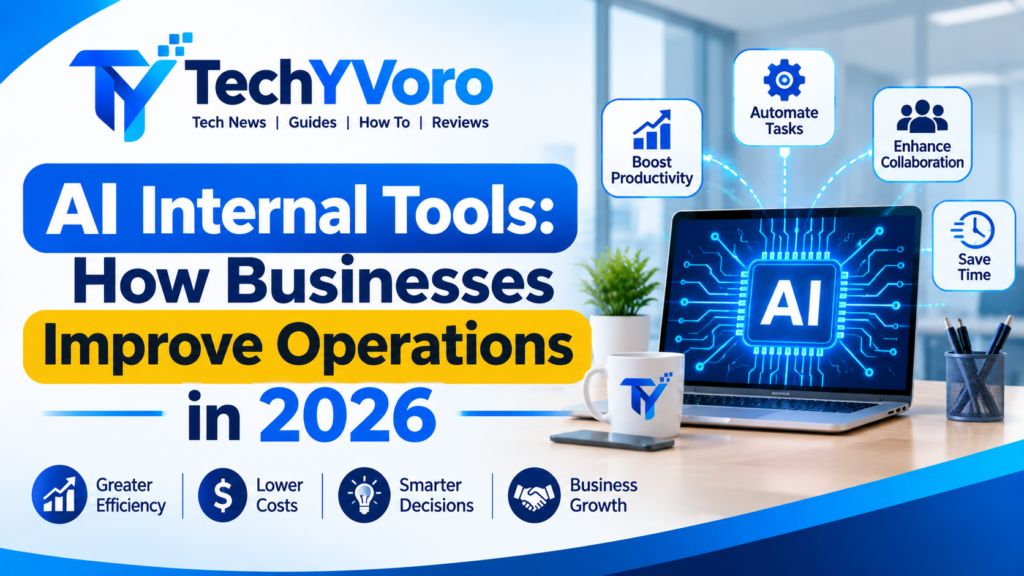
AI internal tools are software applications that use artificial intelligence to help businesses manage internal workflows, automate repetitive tasks, analyze information, and improve employee productivity. Unlike general-purpose AI chatbots, these tools connect AI capabilities with company data, business applications, and operational processes. Businesses can use them for customer support, sales management, document processing, reporting, employee onboarding, and internal knowledge management. By choosing the right workflows and implementing appropriate security controls, organizations can reduce manual work, improve consistency, and make everyday operations more efficient.
Quick Answer: What Are AI Internal Tools?
AI internal tools are applications designed to help employees complete business tasks using artificial intelligence. They can understand documents, retrieve company information, classify requests, summarize data, recommend actions, and automate approved workflows.
For example, a business can use an AI-powered invoice processing tool to extract information from incoming invoices, check required fields, and send the document to an employee for approval before entering it into an accounting system.
These tools can be built using existing automation platforms, integrated into internal software, or developed as custom business applications.
Readers interested in artificial intelligence can also explore AI in Mobile App Development to learn how AI improves app functionality, user experience, personalization, and mobile technology.
How Do AI Internal Tools Work?
AI internal tools combine artificial intelligence with business data, software integrations, and workflow automation. Their purpose is to connect an AI capability to a specific operational task rather than simply generate answers.
A typical system follows this process:
1. Business Data
Documents, emails, databases and CRM records
2. AI Processing
Language understanding, extraction and analysis
3. Workflow Automation
Rules, APIs and connected applications
4. Human Approval
Review important decisions and actions
5. Business System Update
Approved records, notifications and reports
Data Sources and Business Systems
The first component is the information the AI tool needs to perform its task. This might include:
- Customer records stored in a CRM.
- Employee information in an HR platform.
- Invoices and financial documents.
- Internal policies and knowledge bases.
- Sales reports and business databases.
- Emails and customer support tickets.
Businesses should connect only the data required for the intended workflow. Access permissions should also reflect the employee’s role.
AI Models and Knowledge Retrieval
The AI model processes information and performs tasks such as summarization, classification, extraction, and question answering.
Large Language Models (LLMs) are particularly useful when employees need to interact with information using natural language.
For company-specific questions, a system may use Retrieval-Augmented Generation (RAG). This approach retrieves relevant information from an approved knowledge source and provides it to the AI model as context.
For example, an employee could ask about a company’s refund policy and receive an answer based on the relevant internal documentation.
Workflow Automation and API Integrations
An AI model does not automatically update every business application. It needs a controlled way to interact with other systems.
APIs and automation platforms connect different applications so information can move between them.
For example:
- A customer submits a support request.
- An AI system identifies its subject.
- The workflow retrieves the relevant customer record.
- A support ticket is created with a suggested category.
- An employee reviews the response before it is sent.
Human Review and Final Actions
Not every AI-generated result should trigger an automatic action.
Businesses should require human approval for sensitive operations such as:
- Issuing refunds.
- Approving payments.
- Changing employee records.
- Sending legally significant communications.
- Deleting important business information.
This approach helps organizations retain control while benefiting from automation.
What Can AI Internal Tools Do for Businesses?
AI internal tools can support different operational activities depending on their integrations, data access, and configuration.
Automate Repetitive Administrative Tasks
Employees often spend considerable time organizing information, updating records, preparing documents, and handling routine requests.
AI-powered tools can assist with:
- Extracting information from documents.
- Categorizing incoming emails.
- Summarizing meetings.
- Creating draft responses.
- Organizing business records.
- Routing requests to the appropriate department.
For example, an internal tool can classify incoming supplier emails and route them to the purchasing department based on their content.
Search Internal Company Knowledge
Employees sometimes struggle to find the correct information across multiple documents and applications.
An AI knowledge assistant can provide a natural-language search experience over approved internal resources.
Employees could ask:
- What is our employee leave policy?
- Where can I find the latest product documentation?
- What steps are required to onboard a new customer?
- Which department handles supplier approvals?
The system can retrieve relevant documents and summarize their contents.
A well-designed knowledge assistant should provide source references and respect document-level access permissions.
Analyze Business Data and Generate Reports
AI-powered data analysis tools can help employees understand business information without manually reviewing every spreadsheet or report.
Possible applications include:
- Summarizing sales performance.
- Identifying unusual changes in expenses.
- Comparing monthly operational results.
- Preparing management summaries.
- Identifying missing information in reports.
However, AI-generated analysis should be checked against the underlying data. An AI model can misinterpret figures or produce an inaccurate explanation.
Assist Employees With Daily Tasks
Internal AI assistants can help employees complete everyday activities more efficiently.
For example, an employee could use an assistant to draft a project update, summarize a long document, prepare meeting notes, or locate relevant internal resources.
These tools are best used as productivity assistants rather than unquestioned decision-makers.
Readers interested in modern technology can also explore Gesture Recognition Technology to learn how devices recognize human gestures and how this technology is used in everyday applications.
Best AI Internal Tool Use Cases Across Business Departments
The most useful AI internal tools solve specific problems within a company’s existing processes. Different departments can use AI to handle information-heavy tasks, improve communication, and reduce repetitive administrative work.
Customer Support Automation
Customer support teams receive questions through email, websites, live chat, and ticketing systems. Managing these requests manually can create delays and inconsistent responses.
An AI-powered internal support tool can:
- Categorize incoming customer requests.
- Summarize long conversations.
- Identify frequently reported problems.
- Retrieve relevant support documentation.
- Draft responses for employee review.
- Route complicated requests to the appropriate team.
Example: When a customer reports a payment issue, an internal AI tool can summarize the complaint, identify the relevant order information, and suggest the next support step.
The employee can review the recommendation before responding.
Sales and CRM Management
Sales representatives work with customer records, lead information, meeting notes, and follow-up activities.
AI tools connected to a Customer Relationship Management (CRM) system can help:
- Summarize customer interactions.
- Organize lead information.
- Draft follow-up emails.
- Extract important details from meeting notes.
- Identify incomplete CRM records.
- Prepare sales activity summaries.
For example, an AI assistant can summarize a prospect’s previous interactions before a sales representative joins a meeting.
This helps employees review relevant information without manually searching through multiple records.
Employee Onboarding and HR
Human Resources teams manage employee documentation, onboarding instructions, policies, and routine questions.
AI internal tools can support these activities through:
- Employee onboarding assistants.
- Internal policy search.
- Document classification.
- Training material summaries.
- New employee task reminders.
- Frequently asked question responses.
For instance, a new employee could ask an internal assistant how to request annual leave and receive an answer based on the company’s approved HR documentation.
Sensitive employment decisions should remain under appropriate human supervision.
Invoice and Document Processing
Finance and administration departments regularly handle invoices, receipts, purchase orders, and other business documents.
AI-powered document processing can help extract:
- Invoice numbers.
- Supplier names.
- Invoice dates.
- Payment amounts.
- Tax information.
- Purchase order references.
A typical process might look like this:
- An invoice arrives through email.
- The system extracts relevant information.
- Required fields are checked.
- The information is compared with approved purchase records.
- Exceptions are sent to an employee.
- An authorized person approves the payment workflow.
This can reduce manual data entry, although financial validation and payment authorization should not be left entirely to an AI model.
Internal Knowledge Management
Company information is often distributed across PDFs, documents, project management systems, and internal websites.
An AI knowledge management tool can make this information easier to search.
Employees may use it to find:
- Company policies.
- Product documentation.
- Project guidelines.
- Technical instructions.
- Standard operating procedures.
- Internal training materials.
For better reliability, the tool should retrieve information from approved sources, display relevant references, and prevent users from accessing documents outside their permissions.
Reporting and Business Analytics
Business managers often need summaries of operational performance to support planning and decision-making.
AI-powered reporting tools can assist with:
- Preparing weekly performance summaries.
- Explaining changes in business metrics.
- Identifying unusual patterns.
- Summarizing customer feedback.
- Organizing operational reports.
- Preparing management meeting notes.
AI-generated explanations should be checked against the original reports before they are used for important business decisions.
AI Internal Tools vs Traditional Software vs AI Agents
These technologies are related, but they perform different functions.
| Feature | Traditional software | AI internal tools | AI agents |
|---|---|---|---|
| Main purpose | Execute predefined functions | Assist internal workflows using AI | Perform tasks through goal-directed actions |
| Input | Structured data and user commands | Structured and unstructured information | Instructions, context and available tools |
| Decision-making | Predetermined rules | AI-assisted interpretation | AI-guided selection of actions |
| Flexibility | Depends on programmed logic | Useful for variable information | Can adapt actions within defined permissions |
| Human involvement | Depends on workflow | Often useful for review | Important for sensitive actions |
| Best use | Stable business processes | Document analysis and employee assistance | Multi-step tasks requiring contextual decisions |
Traditional Software
Traditional business software performs tasks according to predefined rules.
For example, an accounting application can calculate totals, organize transactions, and generate reports using programmed logic.
It remains useful when a process is predictable and its rules are clearly defined.
AI-Powered Internal Software
AI-powered internal software adds capabilities such as natural-language understanding, document extraction, classification, and summarization.
For example, a traditional document management system stores invoices, while an AI-enabled system may also extract their information and organize them automatically.
AI Agents
AI agents can use instructions, available tools, and contextual information to decide which actions to perform within an assigned task.
For example, an internal operations agent might retrieve a supplier record, summarize an outstanding issue, and prepare an approval request.
An agent should not automatically receive unrestricted access to company applications. Its available tools and permissions should be limited to the task.
Which approach should a business choose?
- Use traditional software for predictable calculations and fixed processes.
- Use AI-powered internal tools for interpreting documents, searching information, and assisting employees.
- Use AI agents when a workflow requires contextual decisions and multiple coordinated actions.
- Combine AI with traditional automation when deterministic rules and flexible interpretation are both needed.
Best Platforms for Building AI Internal Tools in 2026
Businesses do not always need to develop an AI application from scratch. Existing workflow automation platforms can connect applications, process information, and support AI-powered business processes.
The right choice depends on technical resources, integration requirements, data policies, customization needs, and operating costs.
Microsoft Power Automate and AI Builder
Microsoft Power Automate is a workflow automation service within Microsoft Power Platform.
Its AI Builder capability allows organizations to incorporate AI models into business processes. Microsoft’s documentation describes capabilities such as text recognition, document processing, classification, entity extraction, and sentiment analysis. Availability and licensing vary by capability. Microsoft Learn+1
Potential applications:
- Invoice information extraction.
- Document classification.
- Automated notifications.
- Business process approvals.
- AI-assisted information processing.
Suitable for: Organizations already using Microsoft business applications that want to connect automation and AI capabilities.
Official resource: Microsoft AI Builder documentation.
Zapier for No-Code Automation
Zapier connects applications through trigger-and-action workflows.
Its documentation describes AI capabilities for tasks such as summarizing, classifying, drafting, and supporting automated workflows. Zapier+1
Potential applications:
- Routing customer requests.
- Connecting CRM records with other applications.
- Sending automated notifications.
- Creating internal task workflows.
- Processing information between connected services.
Suitable for: Small businesses and teams looking for an accessible way to connect existing applications.
Official resource: Zapier Help Center.
Readers interested in online safety can also explore Cybersecurity Updates 2026 to learn about the latest cyber threats, security trends, and practical tips for protecting their devices and personal information.
👉Make for Visual Workflow Automation
Make provides a visual environment for connecting applications and designing automation scenarios.
Make also documents AI agent capabilities that can introduce contextual decision-making into workflows. Its AI agent features and availability depend on the applicable plan and product version. Help Center+1
Potential applications:
- Multi-step operational workflows.
- Information routing.
- Document-related processes.
- Integrating AI with business applications.
- Coordinating actions across connected services.
Suitable for: Teams that prefer visual workflow design and need more complex application connections.
Official resource: Make AI Agents.
n8n for Flexible Automation
n8n is a workflow automation platform that supports application integrations and AI functionality.
Its documentation covers AI workflows, API connections, data sources, and human approval for AI agent tool calls. n8n Docs+2
Potential applications:
- Internal AI assistants.
- API-based business automation.
- Knowledge retrieval workflows.
- Custom operational integrations.
- Human-approved agent actions.
Suitable for: Technical teams that need greater workflow flexibility and are comfortable managing integrations or infrastructure.
Official resource: n8n documentation.
Custom AI Internal Software
Some businesses have workflows that cannot be handled effectively by existing platforms.
In these situations, a custom application may be appropriate.
A custom solution can include:
- A dedicated employee dashboard.
- Connections to internal databases.
- Custom AI assistants.
- Business-specific approval workflows.
- Permission management.
- Reporting and analytics.
However, custom development also introduces responsibility for infrastructure, maintenance, security, testing, and future upgrades.
AI Internal Tool Platform Comparison
| Platform | Approach | Best suited for |
|---|---|---|
| Power Automate | Low-code automation | Microsoft-centered businesses |
| Zapier | No-code integrations | Connecting everyday business apps |
| Make | Visual automation | Multi-step workflows |
| n8n | Flexible workflow automation | Technical and integration-heavy projects |
| Custom development | Bespoke software | Specialized business requirements |
There is no universally best platform. Businesses should test the required integrations and security controls before selecting a solution.
How to Build an AI Internal Tool Step by Step
Building an effective internal AI application starts with understanding a business problem. Selecting an AI model should come later.
Step 1: Identify a Repetitive Business Workflow
Start by identifying an activity that employees regularly perform and that involves significant manual effort.
Examples include:
- Processing invoices.
- Organizing customer emails.
- Preparing weekly reports.
- Searching company documents.
- Updating CRM records.
- Routing employee requests.
Choose one clearly defined process rather than attempting to automate an entire department.
Step 2: Measure Existing Performance
Before implementation, record how the current process works.
Useful baseline measurements include:
- Average completion time.
- Number of requests processed.
- Manual steps involved.
- Error and correction rates.
- Employee involvement.
- Current operational expenses.
These measurements will help determine whether the new system provides meaningful improvements.
Step 3: Identify the Required Business Data
Determine which information the AI tool needs to access.
For example, an invoice processing application might require supplier records, invoice documents, purchase order information, and approval rules.
Check data quality, ownership, access permissions, retention requirements, and integration availability before proceeding.
Step 4: Choose the Appropriate AI Capability
Different tasks require different AI capabilities.
| Business requirement | Appropriate capability |
|---|---|
| Understand employee questions | Natural-language processing |
| Extract invoice details | Document AI and OCR |
| Search company documents | RAG and semantic search |
| Categorize customer requests | AI classification |
| Generate business summaries | Generative AI |
| Coordinate multi-step tasks | Workflow automation or AI agents |
| Calculate financial totals | Deterministic software logic |
Avoid using generative AI when a straightforward programmed rule can perform the task more reliably.
Step 5: Select a Platform or Development Approach
Choose between an existing automation platform, low-code development, or custom software.
Consider:
- Integration support.
- Required technical skills.
- Data security.
- Customization.
- Licensing.
- Maintenance requirements.
- Scalability.
A small proof of concept can help establish whether the proposed solution is practical.
Step 6: Build a Small Prototype
Develop a limited version of the workflow using sample or appropriately protected data.
For example, a basic invoice processing prototype could:
- Accept an invoice document.
- Extract the supplier name and invoice number.
- Identify the invoice total.
- Check whether required fields are missing.
- Generate a review summary.
Initially, keep the system separate from payment execution.
Step 7: Test and Introduce Human Approval
Test the application with different types of inputs, including incomplete documents, unusual requests, duplicate records, and incorrect information.
Check:
- Accuracy.
- Processing time.
- Failure handling.
- Access permissions.
- Data leakage risks.
- Integration reliability.
- Employee usability.
Require human approval for actions that could create financial, legal, or operational consequences.
Step 8: Monitor Performance and Improve
After a successful pilot, introduce the tool to a controlled group of employees.
Monitor actual performance rather than simply counting AI interactions.
Improve the system when errors, user complaints, integration failures, or changing business requirements are identified.
Scale only when the workflow demonstrates reliable results.
Readers interested in software development can also explore How to Develop Oxzep7 Software to learn about its development process, essential steps, and technical considerations.
How Much Do AI Internal Tools Cost?
The cost of an AI internal tool depends on its complexity, integrations, data requirements, development approach, and ongoing operating needs.
A basic workflow that classifies incoming requests may require fewer resources than a custom enterprise application connected to multiple internal databases.
Main Cost Factors
| Cost factor | What it includes |
|---|---|
| Platform subscriptions | Automation and business software plans |
| AI model usage | API or model consumption charges |
| Development | Configuration, programming and testing |
| Integrations | Connecting CRM, ERP and other systems |
| Infrastructure | Hosting, databases and storage |
| Security | Access controls, monitoring and compliance work |
| Maintenance | Updates, troubleshooting and ongoing support |
| Employee training | Onboarding and operational guidance |
No-Code vs Custom Development Costs
No-code platforms can reduce initial development effort, especially for standard integrations.
Custom applications may require more development resources but offer greater control over specialized requirements.
Businesses should compare total cost of ownership rather than only the initial setup price.
A useful calculation is:
Total cost of ownership = Initial development + Subscriptions + AI usage + Infrastructure + Maintenance + Training
Before committing to a large project, run a small pilot and estimate its actual operating requirements.
Security and Privacy Risks of AI Internal Tools
AI internal tools can access sensitive business information, so security must be considered from the beginning.
The NIST AI Risk Management Framework and its Generative AI Profile provide useful guidance for organizations managing AI-related risks. NIST+1
Protect Sensitive Business Data
Avoid sending confidential business information to AI services without understanding their data handling, retention, and contractual terms.
Businesses should:
- Classify sensitive information.
- Review provider privacy policies.
- Restrict unnecessary data transfers.
- Apply appropriate encryption.
- Establish retention and deletion policies.
- Review third-party integrations.
Apply Role-Based Access Control
Role-Based Access Control (RBAC) ensures that employees receive access according to their responsibilities.
For example, a sales employee may need customer records but should not automatically receive access to confidential payroll documents.
AI systems should inherit appropriate access restrictions rather than bypassing them.
Prevent Unauthorized AI Actions
AI agents may interact with connected applications, so their permissions require careful management.
Use:
- Least-privilege access.
- Restricted API credentials.
- Approval requirements.
- Action limits.
- Separate development and production environments.
- Monitoring of sensitive operations.
Understand Prompt Injection Risks
Prompt injection occurs when malicious or misleading instructions influence an AI system through its input or retrieved content.
For example, an AI assistant searching internal documents could encounter content designed to manipulate its instructions.
The OWASP Top 10 for LLM and Generative AI Applications identifies prompt injection, sensitive information disclosure, and excessive agency among important risks. OWASP Gen AI Security Project
Businesses should treat retrieved content as untrusted, validate tool actions, restrict permissions, and test systems against malicious inputs.
Maintain Audit Logs and Human Oversight
Maintain records of important operations, including:
- User requests.
- AI-generated recommendations.
- Data access.
- Tool calls.
- Approval decisions.
- Changes made to business records.
These logs help teams investigate failures and review how important actions were performed.
For workflows involving external actions, use explicit human approval wherever appropriate. n8n’s documentation, for example, describes approval gates that can pause AI agent tool execution until a person approves or denies the action. GitHub+1
How to Measure AI Internal Tool ROI
An AI internal tool should be evaluated according to the business improvements it produces, not simply how often employees use it.
Measure Time Saved and Workflow Efficiency
Track how long employees spend completing the process before and after implementation.
For example, measure:
- Average processing time.
- Requests completed per employee.
- Manual steps removed.
- Approval delays.
- Time spent correcting errors.
Track Error Rates and Operating Costs
A workflow that processes more requests but introduces additional errors may not provide a meaningful improvement.
Measure the quality of the results alongside operating expenses.
Useful metrics include:
- Data extraction accuracy.
- Incorrect classification rates.
- Rework frequency.
- Automation failure rates.
- AI usage expenses.
- Employee review time.
Calculate the Return on Investment
Use the following formula:
\[ ROI=\frac{\text{Financial Benefits}-\text{Total Investment}}{\text{Total Investment}}\times100 \]
Consider this hypothetical example:
A company implements an internal AI tool to assist with document processing.
| Item | Amount |
|---|---|
| Initial implementation | $2,000 |
| First-year operating costs | $1,000 |
| Verified first-year financial benefits | $6,000 |
| Total investment | $3,000 |
| Net financial benefit | $3,000 |
\[ ROI=\frac{6000-3000}{3000}\times100 \]
Illustrative ROI: 100%
This example assumes that the $6,000 represents measurable financial benefits after accounting for the relevant business assumptions. Time saved should not automatically be counted as cash savings unless it produces a real financial benefit.
Common Mistakes to Avoid When Implementing AI Internal Tools
Businesses can waste resources when they focus on AI technology instead of solving an actual operational problem.
Here are common mistakes to avoid.
- Automating the wrong workflow: A process that rarely occurs may not justify the implementation cost.
- Choosing AI before defining the problem: Not every repetitive task requires an AI model.
- Giving AI excessive access: Unnecessary permissions increase security and operational risks.
- Ignoring human review: AI-generated outputs can be incorrect or incomplete.
- Measuring usage instead of results: More AI interactions do not necessarily mean better business performance.
- Skipping pilot testing: A system that works with sample data may fail with real business inputs.
- Ignoring employee experience: Complicated tools can create additional work instead of reducing it.
A better approach is to identify one valuable workflow, test a limited solution, measure its performance, and improve it before expanding.
Frequently Asked Questions
1. What are AI internal tools?
AI internal tools are software applications that use artificial intelligence to assist employees with company operations. They can automate repetitive tasks, analyze documents, retrieve internal information, summarize business data, and support workflows across departments.
2. How do AI internal tools improve business operations?
They can reduce repetitive manual work, make internal information easier to access, support document processing, and improve workflow coordination. Their actual impact depends on implementation quality, data accuracy, employee adoption, and the complexity of the business process.
3. What are some examples of AI internal tools?
Examples include AI-powered invoice processors, internal knowledge assistants, customer support classification systems, CRM assistants, employee onboarding tools, document analysis applications, and automated reporting systems.
4. Are AI internal tools suitable for small businesses?
Yes. Small businesses can start with relatively simple AI workflows, such as email classification, document extraction, customer request routing, and internal knowledge search. They should select solutions based on available resources and operational needs.
5. What is the difference between AI automation and AI agents?
AI automation uses artificial intelligence as part of a predefined workflow, while AI agents can select actions based on instructions, context, and available tools. Both approaches need appropriate permissions and safeguards.
6. Which platforms can build AI internal tools?
Popular options include Microsoft Power Automate, Zapier, Make, and n8n. Businesses can also develop custom applications when existing platforms do not meet their technical or operational requirements.
7. Are AI internal tools secure?
They can be designed with appropriate security controls, but they are not automatically secure. Businesses should implement role-based access, data protection, restricted permissions, audit logs, testing, and human approval for sensitive actions.
8. How much does it cost to build an AI internal tool?
Costs vary according to development complexity, platform subscriptions, AI usage, integrations, hosting, security, and maintenance. A simple automation may require fewer resources than a custom enterprise application. Businesses should calculate total cost of ownership before implementation.
9. Can AI internal tools replace manual business tasks?
They can automate or assist with selected tasks, including document extraction, classification, summarization, and information retrieval. However, tasks requiring judgment, accountability, sensitive approvals, or complex decisions may still need human involvement.
10. How do businesses measure AI automation ROI?
Businesses can compare measurable financial benefits against total implementation and operating costs. Useful indicators include processing time, error rates, employee workload, operational expenses, and actual financial savings.
Conclusion
AI internal tools can help businesses improve everyday operations by connecting artificial intelligence with existing software, company information, and internal workflows. Their value comes from solving specific operational problems rather than adopting AI simply because the technology is available.
Start with a repetitive process, identify the information and integrations it requires, and choose a suitable automation platform or custom development approach. Test the solution with a limited group, introduce appropriate security controls, and measure its results before expanding.
A carefully implemented AI internal tool can become a useful part of a company’s operational infrastructure while keeping employees involved in important decisions.
For more technology guides, software updates, and helpful tutorials, readers can visit TechyVoro and explore more useful articles.
3 Comments