Business Continuity Plan for Law Firms: A Practical Guide
 Mian Bilal Ch
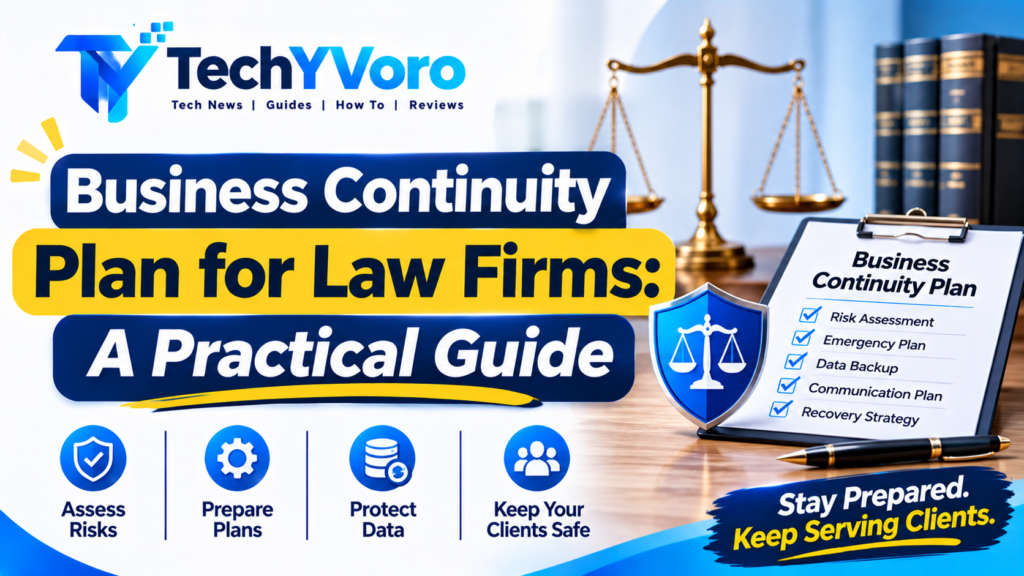
Law firms handle confidential client information, sensitive legal documents, important deadlines, and critical communications every day. But what happens when a cyberattack, power outage, natural disaster, or unexpected staff absence interrupts normal operations? Without proper preparation, even a short disruption can affect client services and create serious operational challenges.
A business continuity plan for law firms provides a structured approach to keeping essential legal services running during unexpected events. It explains how a firm will protect important information, communicate with clients, maintain access to critical systems, and restore normal operations.
Whether a practice has one attorney or several offices, business continuity planning helps reduce disruption and protect the firm’s long-term stability. This guide explains why continuity planning matters, what a plan should include, and how law firms can develop and maintain one.
What Is a Business Continuity Plan for Law Firms?
A business continuity plan (BCP) is a documented framework that explains how a law firm will maintain essential operations when an unexpected event interrupts its normal activities.
It identifies important business functions, potential risks, responsible personnel, alternative working arrangements, communication procedures, and recovery priorities.
For a legal practice, these arrangements may include:
- Maintaining access to essential client records and legal documents.
- Communicating with clients about service interruptions.
- Tracking important court dates and legal deadlines.
- Providing secure remote access to necessary systems.
- Arranging alternative office or working locations.
- Restoring essential technology after an outage.
- Establishing backup responsibilities when an attorney or employee becomes unavailable.
A business continuity plan is closely connected to disaster recovery planning, but the two are not identical.
Business continuity focuses on maintaining essential operations during and after a disruption. Disaster recovery concentrates on restoring affected technology, systems, applications, and data.
Both are important because recovering computer systems alone does not automatically restore every part of a law firm’s operations.
Discover the latest wearable technology trends, including smartwatches, fitness trackers, and smart wearable devices. Learn how these innovations are improving health monitoring, connectivity, and everyday convenience through modern technology.
Why Every Law Firm Needs a Business Continuity Plan
Legal services often depend on accurate records, reliable communication, secure technology, and timely action. When any of these elements becomes unavailable, a firm’s ability to serve clients may be affected.
Here are the main reasons continuity planning matters.
1. Protecting Confidential Client Information
Law firms regularly handle personal information, financial records, contracts, legal correspondence, and other confidential materials.
A cybersecurity incident, stolen device, or damaged storage system can threaten the availability or confidentiality of these records.
A continuity plan should explain how the firm will protect important information through:
- Encrypted data backups.
- Restricted access to confidential files.
- Secure document storage.
- Multi-factor authentication.
- Approved remote access methods.
- Documented data restoration procedures.
Backups should receive protection comparable to the original information. Otherwise, additional copies can introduce new confidentiality and security risks.
2. Maintaining Essential Legal Services
Unexpected interruptions can prevent attorneys and staff from accessing case management platforms, communicating with clients, or preparing important documents.
A business continuity plan helps identify which activities must continue first.
For example, a firm may prioritize urgent court filings, client communications, access to active case records, and other time-sensitive responsibilities.
It should also establish alternative procedures for tracking important deadlines if the usual case management system becomes unavailable.
3. Reducing Financial and Operational Disruption
An extended interruption can affect billing, employee productivity, client relationships, and the firm’s ability to accept or complete work.
Planning ahead helps firms identify alternative resources and reduce confusion during emergencies.
Depending on the firm’s needs, these arrangements may include alternative internet connections, temporary office facilities, backup equipment, cloud-based systems, and agreements with trusted service providers.
4. Protecting Client Trust and Professional Reputation
Clients expect their legal representatives to handle important matters responsibly.
Poor communication during an emergency can increase uncertainty, especially when clients are waiting for updates about active cases or urgent legal matters.
A continuity plan should identify who is responsible for communicating with clients, how updates will be delivered, and which alternative communication channels are approved.
This makes it easier to provide accurate information instead of relying on improvised responses during a crisis.
5. Supporting Remote Work During Emergencies
A law firm may temporarily lose access to its regular office because of severe weather, building damage, utility failures, or other disruptions.
Secure remote working arrangements can help staff continue essential tasks.
However, remote access should be planned rather than improvised. Firms should establish approved devices, secure authentication, encrypted connections, access permissions, and procedures for protecting confidential information outside the office.
Common Risks That Can Disrupt Law Firm Operations
A useful business continuity plan considers different types of disruptions rather than focusing on a single emergency.
| Potential disruption | Possible impact | Recommended preparation |
|---|---|---|
| Ransomware attack | Systems and legal files become inaccessible | Incident response procedures and protected backups |
| Hardware failure | Loss of access to essential documents | Replacement equipment and data recovery |
| Cloud service outage | Important applications become unavailable | Alternative workflows and provider contacts |
| Internet interruption | Communication and online systems stop working | Secondary connectivity arrangements |
| Fire or flooding | Office and equipment become inaccessible | Alternative working location |
| Staff illness | Important responsibilities go unattended | Backup personnel and documented procedures |
| Power failure | Devices and network equipment stop working | Appropriate backup power arrangements |
The purpose of identifying these risks is to understand their operational impact and prepare suitable responses.
A law firm does not need an entirely different plan for every possible event. Several emergencies may require similar arrangements, such as remote working, alternative communication, or temporary access to essential records.
What Should a Law Firm Business Continuity Plan Include?
An effective law firm business continuity plan should be practical, accessible, and appropriate for the firm’s size and operational requirements.
The following components provide a useful starting framework.
1. Risk Assessment
Begin by identifying events that could interrupt the firm’s operations.
Consider cybersecurity threats, equipment failures, office emergencies, internet outages, cloud service disruptions, and unexpected staff absences.
Assess each risk according to its likelihood, potential impact, and the resources needed to respond.
2. Business Impact Analysis
A business impact analysis (BIA) identifies critical activities and evaluates the consequences of their interruption.
For example, a law firm may determine that access to active client files, deadline tracking, and urgent communications must be restored before less critical administrative functions.
This process helps management establish recovery priorities based on actual business needs.
3. Roles and Responsibilities
Every continuity plan should identify who makes decisions and who carries out essential tasks during an emergency.
Possible responsibilities include:
- Managing partner: Approves the continuity strategy and major operational decisions.
- Continuity coordinator: Maintains the plan and coordinates its implementation.
- IT or security personnel: Manage technical recovery and system restoration.
- Administrative staff: Support employee communication and office arrangements.
- Responsible attorneys: Manage client matters and legal priorities.
In a small practice, one person may handle multiple responsibilities. However, each responsibility should still have an assigned owner and an appropriate backup.
4. Data Backup and Recovery Procedures
Legal documents and client records are among the most important resources a law firm must protect.
A suitable backup strategy should address:
- Which files and systems require backups.
- How frequently backups are created.
- Where backup copies are stored.
- Who can access and restore them.
- How backups are protected against unauthorized access.
- How restoration procedures are tested.
Consider maintaining protected copies separately from the primary production environment. Depending on the firm’s risk assessment, offline or otherwise isolated backups can provide additional protection against ransomware.
A backup is only useful when the firm can restore the required information successfully.
5. Emergency Communication Procedures
A continuity plan should document how the firm will communicate with employees, clients, vendors, and other relevant parties during a disruption.
Include:
- Updated contact information.
- Alternative telephone and email arrangements.
- Internal emergency communication channels.
- Client notification responsibilities.
- Procedures for urgent matters.
- Approved methods for sharing sensitive information.
Avoid relying entirely on one communication platform. If the primary email or messaging service becomes unavailable, the firm should know which alternative channels are approved.
6. Remote Working Arrangements
If employees cannot access the regular office, remote working may help maintain essential operations.
A remote work continuity arrangement should identify:
- Approved laptops and mobile devices.
- Secure access to legal applications.
- Multi-factor authentication.
- VPN or other approved secure connections where appropriate.
- Access permissions for client documents.
- Backup internet arrangements.
- Procedures for reporting technical problems.
Firms should also establish clear rules for handling confidential information in home offices and other alternative working environments.
7. Recovery Objectives
A business continuity plan should establish realistic recovery targets for critical systems and processes.
Two important concepts are Recovery Time Objective (RTO) and Recovery Point Objective (RPO).
Recovery Time Objective (RTO) is the maximum acceptable time a system or business function can remain unavailable before it needs to be restored.
Recovery Point Objective (RPO) describes the maximum acceptable amount of data loss measured in time.
For example, suppose a law firm’s document management system has an RTO of four hours and an RPO of one hour.
This means the firm aims to restore the system within four hours and recover data to a point no more than one hour before the disruption.
These are illustrative targets, not universal recommendations. Each firm should establish its own objectives according to operational priorities, client obligations, available technology, and recovery costs.
Readers interested in exploring more software solutions can also check out 8tshare6a Software Guide to learn about its features, functionality, potential uses, and important details.
How to Create a Business Continuity Plan for a Law Firm
Creating a useful continuity plan does not require complicated documentation or expensive software. A smaller firm can begin with a straightforward document and improve it as its operations develop.
Follow these steps.
Step 1: Identify Critical Business Functions
List the activities that must continue for the firm to serve clients effectively.
Examples include:
- Accessing active case files.
- Tracking court dates and filing deadlines.
- Communicating with clients.
- Preparing and reviewing legal documents.
- Managing financial and administrative records.
Determine which activities require immediate attention and which can temporarily operate with reduced capacity.
Step 2: Identify Potential Risks
Review the firm’s technology, premises, staff responsibilities, and external service providers.
Consider what would happen if:
- The primary document management platform became unavailable.
- An employee lost a work device.
- A ransomware incident affected office systems.
- The internet connection stopped working.
- A key attorney became unexpectedly unavailable.
Document the likely consequences and identify suitable preventive or recovery measures.
Step 3: Establish Recovery Priorities
Not every system needs to be restored at the same time.
Use the business impact analysis to determine which applications, records, and activities are most important.
For example, restoring access to urgent client records and deadline information may be more important initially than restoring nonessential administrative software.
Assign realistic RTO and RPO targets where appropriate.
Step 4: Create a Data Protection Strategy
Identify where the firm’s information is stored, including local devices, network storage, cloud platforms, and third-party applications.
Document how information is backed up and how recovery will be performed.
Use encryption, appropriate access controls, multi-factor authentication, and secure backup arrangements.
Do not assume that a cloud service automatically provides every backup or recovery capability the firm needs. Review the provider’s actual service terms, retention arrangements, recovery options, and security responsibilities.
Step 5: Document Emergency Procedures
Write clear instructions for responding to different disruptions.
For example, an office outage may require temporary remote working, while a ransomware incident may require isolating affected systems and activating a separate cybersecurity incident response process.
Make sure the procedures are understandable to the people expected to carry them out.
Step 6: Assign Backup Personnel
Identify who will perform critical responsibilities if the primary person is unavailable.
This is particularly important for solo practitioners and small firms where essential knowledge may be held by one individual.
Consider appropriate contingency and succession arrangements, taking applicable professional rules and client confidentiality obligations into account.
Step 7: Test and Improve the Plan
Do not wait for an emergency to discover that recovery instructions are incomplete.
Conduct practical exercises to evaluate whether employees understand their responsibilities and whether essential systems can actually be restored.
Update the plan whenever important technology, personnel, premises, or business processes change.
Business Continuity vs. Disaster Recovery vs. Incident Response
These three disciplines are connected, but each addresses a different part of operational resilience.
| Area | Main purpose | Example for a law firm |
|---|---|---|
| Business continuity | Maintain essential operations during disruption | Continue urgent client services using approved alternative arrangements |
| Disaster recovery | Restore affected systems and information | Recover legal documents from protected backups |
| Incident response | Manage and contain a security incident | Investigate and respond to a ransomware attack |
A law firm may need all three arrangements.
For instance, an incident response plan helps manage a cyberattack, disaster recovery restores affected technology, and business continuity procedures help the firm continue essential legal work while recovery takes place.
They should be coordinated, but one should not be treated as a replacement for the others.
Readers interested in the latest technology insights can also explore Tech Guru WaveTechGlobal to discover useful tech updates, digital trends, and information about emerging technologies.
Business Continuity Checklist for Law Firms
Use this checklist to review whether your legal practice has addressed the most important areas of preparedness.
- Identify critical legal and administrative activities.
- Document possible business interruption risks.
- Complete a business impact analysis.
- Assign emergency responsibilities.
- Maintain updated employee and vendor contacts.
- Establish secure backup arrangements.
- Test data restoration procedures.
- Document client communication procedures.
- Prepare secure remote working arrangements.
- Establish alternative access to important legal records.
- Define appropriate RTO and RPO targets.
- Document cybersecurity incident response procedures.
- Identify backup personnel for essential responsibilities.
- Review third-party technology dependencies.
- Test the continuity plan regularly.
- Update documentation when business operations change.
Additional Considerations for Small Law Firms
Solo attorneys and smaller practices may not have dedicated IT departments or large budgets for emergency preparation.
However, they can still develop a useful continuity framework.
Start by documenting essential account access arrangements, identifying a trusted technology support provider, maintaining protected backups, and establishing alternative communication methods.
Also consider what would happen if the primary attorney became temporarily or permanently unable to work.
Depending on the jurisdiction and professional rules, appropriate arrangements may be needed for client files, urgent matters, financial responsibilities, and the orderly management or transfer of the practice.
The Washington State Bar Association’s Disaster Planning Guide and the Law Society of Alberta’s Business Continuity and Succession Planning Guide provide useful examples of small-practice planning considerations.
How Often Should Law Firms Test Their Continuity Plans?
A business continuity plan should be reviewed and tested regularly rather than stored away after its initial creation.
Testing helps identify missing contact information, unclear responsibilities, inaccessible backups, outdated recovery instructions, and unrealistic recovery targets.
Useful testing methods include:
Tabletop exercises: Discuss a hypothetical emergency with relevant employees and evaluate how they would respond.
Backup restoration tests: Restore selected files or systems to confirm that backups are usable and recovery procedures work.
Remote access checks: Verify that authorized employees can securely access essential applications from alternative locations.
Communication exercises: Check whether employees know how to contact one another and communicate with clients during an outage.
Full recovery exercises: Where practical, simulate a more extensive disruption to evaluate the firm’s overall recovery capabilities.
Readers dealing with software errors can also explore How to Fix a Bug on EveBiohazTech to learn about common issues, possible causes, and troubleshooting steps.
Frequently Asked Questions
What is a business continuity plan for a law firm?
A business continuity plan is a written framework explaining how a law firm will maintain essential legal services during unexpected disruptions. It covers risk assessment, staff responsibilities, client communication, data protection, remote working, and recovery procedures.
Why do law firms need business continuity plans?
Law firms need continuity plans to prepare for emergencies that could interrupt legal services, restrict access to client records, or affect important deadlines. Planning helps establish responsibilities and alternative procedures before a disruption occurs.
What should a law firm business continuity plan include?
It should include a risk assessment, business impact analysis, emergency contacts, staff responsibilities, data backup arrangements, client communication procedures, remote working options, recovery objectives, and testing schedules.
How can small law firms prepare for emergencies?
Small firms can begin by documenting essential operations, maintaining secure backups, preparing alternative communication channels, identifying backup personnel, and arranging secure remote access. The plan should reflect the firm’s size and professional responsibilities.
What is the difference between RTO and RPO?
RTO measures how long a system or business function can remain unavailable before it should be restored. RPO measures how much data loss, expressed as time, the firm can tolerate after a disruption.
How often should a law firm review its business continuity plan?
A law firm should review its plan regularly and whenever significant changes occur in staffing, technology, premises, or business operations. Testing should also be performed to confirm that recovery procedures work as intended.
Final Thoughts
A business continuity plan for law firms is an important part of protecting legal operations, client information, and professional responsibilities. Unexpected events cannot always be prevented, but their impact can be reduced through preparation and clearly documented procedures.
Law firms should identify critical activities, protect important records, establish secure alternative working arrangements, assign responsibilities, and test recovery procedures regularly.
Whether you manage a solo practice or a larger legal organization, a practical continuity plan can help your firm respond more confidently when normal operations are disrupted.
Start by reviewing your existing technology, backup arrangements, and emergency procedures. Improving these foundations can make your legal practice better prepared for unexpected challenges.
Readers can explore TechyVoro for more helpful technology guides, software tutorials, AI updates, and the latest digital trends.



One Comment