Web Content Strategy: A Practical Guide for 2026
 Mian Bilal Ch
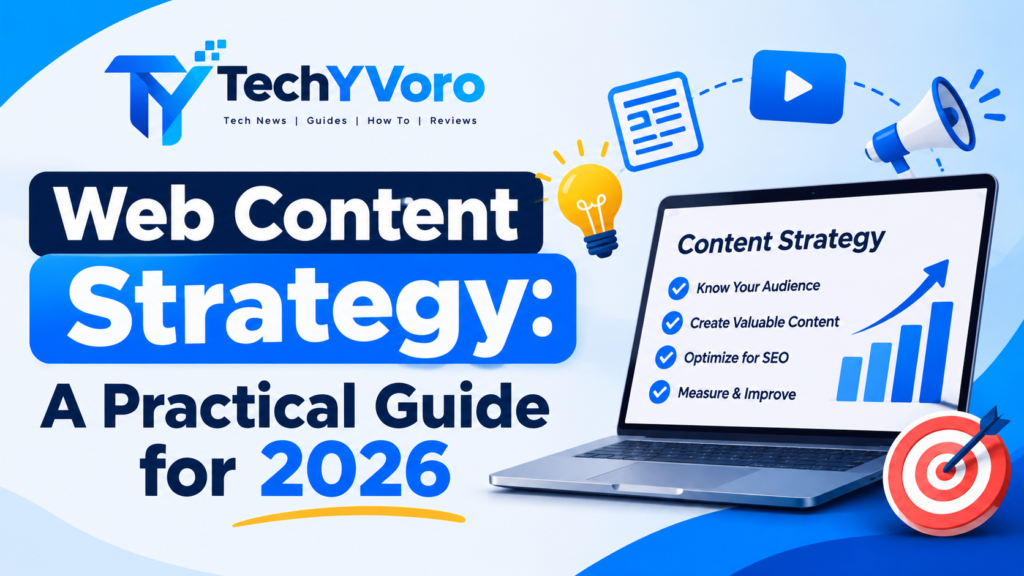
A successful website needs more than attractive pages and regularly published blog posts. It needs a clear web content strategy that connects audience needs, business objectives, search intent, content creation, and performance measurement. Without a structured approach, businesses can spend considerable time publishing articles that attract the wrong visitors or fail to support their goals.
A web content strategy provides a framework for deciding what to publish, who the content is for, why it matters, where it belongs on the website, and how its success will be evaluated. It also helps businesses improve existing pages instead of constantly creating new ones.
Whether you manage a business website, run a blog, provide professional services, or operate an online store, a practical content strategy can make your publishing process more organized and purposeful.
This guide explains how to develop a website content strategy in 2026, including audience research, keyword mapping, content planning, SEO, editorial workflows, AI-assisted processes, and performance measurement. It also includes a practical example and a reusable planning template.
Quick Answer: What Is a Web Content Strategy?
A web content strategy is a structured plan for researching, creating, organizing, publishing, maintaining, and measuring content on a website. It connects audience needs with business goals and determines which topics, pages, formats, and distribution methods deserve attention. An effective strategy helps a website deliver useful information, improve its user experience, support organic visibility, and guide visitors toward meaningful actions.
Explore Tech Town BeaconSoft for the latest technology insights, software developments, digital innovations, and emerging tech trends shaping the modern digital world.
What Does a Website Content Strategy Include?
A website content strategy defines how content will support a website’s overall purpose. It covers the complete content lifecycle, from identifying audience questions to evaluating whether published pages remain useful.
Rather than treating every article as an independent publishing task, businesses use a strategy to establish relationships between topics, website pages, marketing objectives, and user needs.
Most website content strategies include these elements:
| Component | What It Covers | Why It Matters |
|---|---|---|
| Audience research | Customer needs, interests, questions, and problems | Helps create relevant content |
| Business objectives | Leads, sales, awareness, support, or education | Gives content a clear purpose |
| Content audit | Evaluation of existing website pages | Identifies improvement opportunities |
| Keyword and topic research | Search queries, related subjects, and search intent | Helps discover relevant content opportunities |
| Content architecture | Topic pillars, clusters, and URL relationships | Organizes website information |
| Content production | Research, writing, editing, and publishing | Establishes a consistent workflow |
| Distribution | Search, email, social media, and other relevant channels | Helps content reach its audience |
| Performance measurement | Visibility, engagement, conversions, and business outcomes | Shows what needs improvement |
| Content governance | Ownership, standards, approval, and maintenance | Maintains quality over time |
These components should work together. For example, keyword research can identify a relevant topic, but audience research helps determine what the page should actually explain. Similarly, publishing an article is only one stage of the process; its performance and ongoing usefulness also need attention.
Web Content Strategy vs. Content Marketing vs. Content Plan
These terms are closely related, but they describe different aspects of managing and promoting content.
| Term | Main Purpose | Example |
|---|---|---|
| Web content strategy | Defines the direction and purpose of website content | Deciding which subjects the website should cover |
| Content marketing strategy | Explains how valuable content supports broader marketing objectives | Using educational articles to attract potential customers |
| Content plan | Converts strategic decisions into specific activities | Assigning articles, formats, owners, and deadlines |
| Content calendar | Organizes when content will be produced or published | Scheduling an article for the second week of December |
Consider a software company that wants to attract small-business owners.
Its web content strategy might prioritize tutorials, software comparisons, and troubleshooting guides. Its content marketing strategy might explain how those resources support awareness and product consideration. .Its content plan would assign individual topics and responsibilities, while its calendar would organize production and publishing dates.
In simple terms, the strategy establishes direction, the plan organizes execution, and the calendar manages timing.
Why Does Your Website Need a Content Strategy?
Publishing more pages does not automatically make a website more useful. Without a clear direction, businesses can create overlapping articles, neglect important customer questions, or invest in content that has little connection to their objectives.
A structured approach helps prevent these problems.
1. It Connects Content With Business Goals
Every important website page should have a reason to exist.
A service business might need educational articles that answer customer questions before someone requests a consultation. An online store may need buying guides, product comparisons, category descriptions, and support pages.
When content supports a defined objective, it becomes easier to decide what deserves investment.
2. It Improves Audience Relevance
Audience research helps businesses understand what visitors actually need.
For example, someone searching for website hosting may want to compare providers, understand technical requirements, or troubleshoot an existing hosting problem. Those needs require different pages.
Understanding the audience makes it easier to select appropriate topics and content formats.
3. It Supports Better SEO Organization
A clear website structure helps visitors and search engines understand how related pages connect.
Content pillars, descriptive URLs, relevant internal links, and well-organized categories can make information easier to navigate.
Google’s SEO Starter Guide also recommends creating useful, well-organized content and using descriptive URLs.
4. It Reduces Unnecessary Content Production
Without a content strategy, businesses may publish multiple articles that answer essentially the same question.
An existing content audit and keyword-to-URL map help identify when a page needs updating rather than another similar article.
This allows teams to use their resources more efficiently.
5. It Creates a Better User Journey
Website visitors do not all have the same level of knowledge or purchasing readiness.
Some need basic explanations, others want comparisons, and some are ready to contact a business or purchase a product.
A thoughtful content strategy provides relevant information at each stage instead of sending every visitor directly to a sales page.
The Five-Part Web Content Strategy Framework
A practical way to organize website content management is to divide the process into five connected stages.
1. Strategy
Identify the website’s purpose, target audience, business objectives, and main content priorities.
2. Research
Analyze existing pages, audience questions, keyword opportunities, competitors, and missing information.
3. Architecture
Organize topics into content pillars and clusters. Assign suitable formats and website URLs, and establish internal-link relationships.
4. Execution
Research, create, edit, approve, publish, and distribute content through a consistent workflow.
5. Optimization
Measure results, identify underperforming pages, improve useful content, consolidate overlapping pages, and update the strategy when audience needs change.
The framework creates a repeatable process. It also prevents content planning from becoming a publishing calendar with no connection to broader business priorities.
How to Create a Web Content Strategy in 10 Steps
Developing a website content strategy does not require a large marketing team or an expensive software subscription. A small business can start with a spreadsheet, basic analytics, audience research, and a clear publishing process.
Follow these ten steps.
Step 1. Define Your Website’s Purpose and Audience
Start by identifying what your website exists to accomplish and who it needs to serve.
A business website may focus on generating qualified leads, while an educational blog may aim to explain technical subjects to beginners. An ecommerce website may prioritize product discovery, purchase decisions, and customer support.
Write down:
- Your main website purpose.
- Your primary audience.
- The problems your audience wants to solve.
- The products or services you offer.
- The information visitors need before taking action.
- The types of visitors your website is not designed to serve.
You can develop audience profiles based on relevant characteristics such as industry, job responsibilities, experience level, common questions, and purchasing requirements.
Avoid inventing customer characteristics without research. Use customer conversations, support requests, website analytics, surveys, and relevant market information where available.
Step 2. Establish Measurable Content Goals
Once you understand your audience, decide what website content should accomplish.
Common objectives include:
- Increasing relevant organic search traffic.
- Generating qualified inquiries.
- Supporting product or service sales.
- Explaining complicated products or services.
- Reducing repetitive customer support questions.
- Building awareness around important topics.
- Improving engagement with existing website visitors.
Connect each objective with an appropriate measurement.
For example:
| Business Objective | Content Activity | Possible KPI |
|---|---|---|
| Improve organic visibility | Publish useful topic-focused guides | Search impressions and clicks |
| Generate leads | Improve service and landing pages | Qualified form submissions |
| Educate customers | Publish tutorials and explanations | Relevant page engagement |
| Support product decisions | Create comparisons and buying guides | Product inquiries or conversions |
| Improve existing content | Update outdated pages | Changes in relevant search performance |
Set realistic targets based on available baseline data. Do not assume that publishing a particular number of articles will automatically produce a specific traffic or revenue increase.
Step 3. Conduct a Website Content Audit
Before planning new articles, examine what your website already contains.
A content audit helps identify useful pages, outdated information, overlapping topics, missing internal links, and opportunities for improvement.
Start by collecting your website URLs. For each important page, record:
- Page title and URL.
- Main topic and intended audience.
- Primary search intent.
- Content format.
- Last meaningful update.
- Internal links.
- Relevant search performance, where available.
- Engagement or conversion information, where measurable.
- Recommended action.
Use the following decision guide:
| Content Condition | Recommended Action |
|---|---|
| Accurate and useful page with relevant performance | Keep and monitor |
| Useful page with outdated information | Update |
| Two pages serving substantially the same purpose | Evaluate for merging |
| Thin page with missing essential information | Improve or reconsider its purpose |
| Page no longer relevant or useful | Consider removal or redirection |
| Page with important information but weak navigation | Improve internal linking |
Do not remove pages simply because they receive little traffic. Some pages serve essential functions, such as legal information, customer support, or information for existing customers.
Before removing or merging URLs, check backlinks, search visibility, user value, and relevant replacement pages. Implement an appropriate redirect when a genuine replacement exists.
Step 4. Research Topics, Keywords, and Audience Questions
Keyword research helps identify how people search for information. However, effective topic research goes beyond collecting a list of high-volume phrases.
Investigate:
- Main keywords related to your business.
- Specific questions customers ask.
- Long-tail search queries.
- Related technical terms and entities.
- Competitor topic coverage.
- Missing explanations or examples.
- Search trends relevant to your industry.
- Problems that existing content does not adequately solve.
Useful research sources include:
- Google Search suggestions and related searches.
- Google Search Console.
- Customer support conversations.
- Product reviews and feedback.
- Industry forums and communities.
- Competitor websites.
- Keyword research tools.
- Official product and industry documentation.
For example, a website about web development might identify the broad topic “website security.”
Related content opportunities could include:
- How HTTPS works.
- Common website security problems.
- WordPress security best practices.
- How to choose a website backup solution.
- Website security troubleshooting.
These topics are related, but they should not automatically become separate pages. Evaluate whether each represents a distinct user need and search intent.
Step 5. Identify Search Intent
Search intent refers to the underlying reason behind a search query.
Understanding it helps determine what type of content a page should provide.
| Search Intent | What the User Wants | Suitable Content |
|---|---|---|
| Informational | Understand a subject or solve a problem | Guides, tutorials, explainers |
| Navigational | Find a specific website or page | Brand and destination pages |
| Commercial investigation | Compare products or evaluate options | Reviews, comparisons, buying guides |
| Transactional | Complete an action or purchase | Product, service, and checkout pages |
For example, someone searching “what is cloud hosting” probably needs an explanation. Someone searching “best cloud hosting providers” is more likely to want comparisons.
Even when two keywords look similar, their intended content formats may differ.
Review the current search results and examine what users are being offered before deciding how to structure a page.
Learn why a business continuity plan for law firms is essential for protecting legal operations, managing unexpected disruptions, safeguarding client data, and ensuring uninterrupted services during emergencies.
Step 6. Develop Content Pillars and Topic Clusters
Content pillars are broad subjects that organize a website’s important information. Topic clusters are related supporting pages that explore specific aspects of those subjects.
For example, a technology website might organize content like this:
Pillar: WordPress
- How to install WordPress.
- Best WordPress security practices.
- How to troubleshoot common WordPress errors.
- WordPress hosting comparisons.
- How to improve WordPress performance.
The main pillar provides a broad overview, while supporting articles answer more specific questions.
Connect related pages using meaningful internal links. A supporting article should link to its relevant pillar where useful, and the pillar should help visitors discover valuable supporting resources.
Avoid creating pages just to fill a cluster. Every page should provide a distinct benefit.
Step 7. Map Topics and Keywords to Website URLs
Keyword mapping assigns a primary topic and search intent to each relevant website page.
It helps prevent unnecessary overlap and clarifies what each URL should cover.
An example:
| Proposed URL | Primary Topic | Search Intent | Content Type |
|---|---|---|---|
| /wordpress-guide/ | WordPress guide | Informational | Pillar guide |
| /wordpress-security/ | WordPress security | Informational | Tutorial |
| /wordpress-hosting/ | WordPress hosting | Commercial | Comparison |
| /fix-wordpress-errors/ | Fix WordPress errors | Informational | Troubleshooting guide |
The exact URL structure should reflect the website’s existing architecture.
One page can naturally rank for multiple closely related queries. There is no need to create a separate URL for every keyword variation.
If two proposed pages serve essentially the same purpose, consider combining their coverage into one stronger resource.
Step 8. Choose the Right Content Formats
Different subjects and search intents require different formats.
A detailed tutorial may be appropriate for a technical process, while a comparison table may be more useful for evaluating software.
Common website content formats include:
- Blog articles.
- Step-by-step tutorials.
- Product and service pages.
- Software comparisons.
- Case studies.
- Frequently asked questions.
- Downloadable templates.
- Troubleshooting guides.
- Videos and demonstrations.
- Interactive tools and calculators.
Consider the complexity of the topic, the user’s experience level, the evidence available, and the action you want the visitor to take.
A useful content format should make the information easier to understand, not simply make the page look more elaborate.
Step 9. Create an Editorial Calendar and Workflow
An editorial calendar turns strategic decisions into manageable publishing activities.
A useful calendar should contain:
| Field | Purpose |
|---|---|
| Topic | Identifies the planned content |
| Primary keyword | Establishes the main search target |
| Search intent | Clarifies the reader’s purpose |
| Target audience | Identifies who the page serves |
| Content format | Defines the required page type |
| Assigned writer | Establishes ownership |
| Reviewer | Identifies who checks quality |
| Draft deadline | Organizes production |
| Publishing date | Records the planned release |
| Internal links | Identifies relevant existing pages |
| Update date | Supports content maintenance |
Establish a repeatable production workflow:
- Approve the topic and its purpose.
- Research the audience and supporting evidence.
- Prepare the outline.
- Draft the content.
- Verify facts and technical information.
- Edit grammar, clarity, and structure.
- Add images, references, and relevant internal links.
- Review the page on mobile and desktop.
- Publish and verify the live URL.
- Schedule an appropriate performance review.
The calendar should reflect available resources. A small business may publish one well-researched guide every few weeks, while a larger editorial team may manage several content projects simultaneously.
Quality, usefulness, and sustainable production matter more than meeting an arbitrary publishing quota.
Step 10. Publish, Distribute, and Measure Results
Publishing a page is not necessarily the end of the content process.
Consider how the intended audience can discover it.
Depending on the subject, distribution channels may include:
- Organic search.
- Email newsletters.
- Relevant social media accounts.
- Industry communities.
- Customer onboarding resources.
- Internal knowledge bases.
- Relevant partner websites.
- Professional networks.
Distribution should respect the rules and expectations of each platform. Avoid unsolicited promotional messages and irrelevant link placements.
After publication, monitor relevant performance indicators and identify opportunities to improve the page.
For example, Google Search Console can show impressions, clicks, click-through rate, average position, and search queries associated with your website. Google Analytics 4 can help evaluate website interactions and configured key events.
Use the findings to make evidence-based improvements rather than assuming that every page needs more keywords or additional words.
Practical Web Content Strategy Example for a Small Business
Consider a fictional web development company that creates websites for small businesses.
The company wants to attract potential customers who need help with website creation, WordPress, hosting, and maintenance.
Instead of publishing unrelated technology articles, it organizes its content around the questions its potential customers are likely to ask.
Step 1: Identify the Audience
The primary audience includes small-business owners, startup founders, and people who need professional website assistance.
Their common questions might include:
- How much does a business website cost?
- Which website platform should I choose?
- Do I need WordPress hosting?
- How can I improve website speed?
- What should I do if my website stops working?
Step 2: Define the Content Pillars
The company establishes four main pillars:
- Website development.
- WordPress management.
- Website hosting and performance.
- Website security and maintenance.
Step 3: Plan Supporting Content
| Content Pillar | Supporting Article | Search Intent |
|---|---|---|
| Website development | How to Plan a Business Website | Informational |
| Website development | Website Design vs. Web Development | Informational |
| WordPress | How to Secure a WordPress Website | Informational |
| WordPress | Common WordPress Errors and Fixes | Informational |
| Hosting | Shared Hosting vs. Cloud Hosting | Commercial |
| Performance | How to Improve Website Loading Speed | Informational |
| Security | Website Backup Best Practices | Informational |
| Maintenance | Website Maintenance Checklist | Informational |
Step 4: Connect Content With Business Goals
Educational articles can help visitors understand website-related problems. Relevant service pages can explain the company’s solutions.
For example, an article about website maintenance could link to a relevant maintenance service page if one exists.
The link should appear naturally where it helps the reader understand the next step.
This example demonstrates how a website content strategy can connect audience questions, topic organization, useful resources, and business objectives without making every page promotional.
Website Content Strategy Template
A simple worksheet can make the planning process easier.
Use the following template to document the essential decisions for your website.
| Planning Field | Example Entry |
|---|---|
| Website purpose | Generate qualified website development inquiries |
| Target audience | Small-business owners |
| Main audience problem | Difficulty planning and maintaining a website |
| Business objective | Increase relevant service inquiries |
| Main content pillar | Website development |
| Supporting topic | Website planning checklist |
| Primary keyword | How to plan a business website |
| Search intent | Informational |
| Content format | Step-by-step guide |
| Target URL | /plan-business-website/ |
| Internal links | Relevant hosting and WordPress guides |
| Distribution | Organic search and relevant business communities |
| Primary KPI | Relevant organic clicks |
| Conversion KPI | Qualified service inquiries |
| Content owner | Assigned editorial team member |
| Review schedule | Based on performance and information changes |
Content Planning Worksheet
For each proposed page, answer these questions:
- Who is this content intended to help?
- What specific problem does it solve?
- What search intent does it satisfy?
- Does an existing page already answer the same question?
- What evidence or references are required?
- Which format will explain the subject most effectively?
- Which existing pages should link to it?
- What action should readers be able to take?
- How will its usefulness and performance be evaluated?
- What circumstances would justify updating the page?
A completed worksheet provides a clearer foundation for content production than a list of keywords alone.
How SEO Fits Into Your Website Content Strategy
SEO should be integrated into content planning from the beginning rather than added as a final editing task.
Its purpose is to help relevant users discover useful website information through search engines.
Keyword Research
Keyword research helps identify the language people use when looking for information, products, and services.
Use a combination of broad topics, long-tail queries, related terms, and customer questions.
Prioritize relevance and usefulness instead of selecting keywords based exclusively on search volume.
Search Intent Optimization
A page should satisfy the purpose behind its primary search query.
If visitors want a comparison, provide meaningful comparison criteria. If they need a tutorial, explain the process in a logical sequence.
A page that targets the right keyword but provides the wrong type of information may fail to meet the reader’s expectations.
Internal Linking
Internal links connect related pages on the same website.
They help visitors discover supporting information and provide search engines with paths to other pages.
For example, a website content strategy guide might naturally link to:
- Marketing Fundamentals: A Beginner’s Guide when explaining business objectives.
- How to Create a Social Media Strategy in 2026 when discussing content distribution.
- Goseboze AI Tools: Features, Categories & How It Works when discussing AI software discovery.
Use descriptive anchor text that accurately explains the destination. Avoid adding links that do not provide meaningful value.
Content Optimization
Review the following elements when preparing or updating a page:
- Descriptive SEO title.
- Clear H1 heading.
- Logical H2 and H3 structure.
- Helpful introduction.
- Natural keyword usage.
- Relevant supporting terminology.
- Accurate information.
- Appropriate images and alt text.
- Contextual internal links.
- Credible external references.
- Mobile-friendly formatting.
- Relevant calls to action.
Google’s helpful, reliable, people-first content guidance emphasizes original, useful information, clear sourcing, and content that satisfies the needs of its intended audience.
SEO should support those goals rather than replace them.
How to Distribute and Repurpose Website Content
A useful website article can support other communication activities when its information is adapted appropriately.
For example, a detailed website security guide might become:
- A short email explaining three important security checks.
- A social media post highlighting one practical recommendation.
- A video demonstrating a specific configuration.
- A downloadable checklist.
- A customer support resource.
The objective is to make the original information accessible in different contexts.
Do not simply copy identical content across every platform. Adjust the length, format, language, and level of detail to match the audience and channel.
Also, make sure repurposed material retains the original information’s accuracy and context.
Content Governance and AI in Web Content Strategy
Content governance establishes how website information is created, reviewed, approved, published, and maintained.
It becomes particularly important when several writers, editors, marketers, or subject specialists contribute to the same website.
Establish Clear Content Responsibilities
A practical editorial workflow may assign these responsibilities:
| Role | Responsibility |
|---|---|
| Content strategist | Defines priorities and content direction |
| Researcher | Collects supporting information and sources |
| Writer | Produces the initial draft |
| Subject reviewer | Checks technical or specialist accuracy |
| Editor | Reviews clarity, grammar, and structure |
| Publisher | Uploads and verifies the final page |
| Content manager | Coordinates updates and performance reviews |
A small website may assign several responsibilities to one person. The important thing is that ownership remains clear.
Create Consistent Editorial Standards
A content governance policy should define:
- Preferred writing style and terminology.
- Source and citation requirements.
- Fact-checking procedures.
- Image and copyright permissions.
- Disclosure requirements where applicable.
- Content approval responsibilities.
- Publication and update procedures.
- Security and privacy considerations.
These standards help maintain consistency as a website expands.
How AI Can Support Content Strategy
AI tools can assist with selected research and editorial tasks.
Possible applications include:
| AI-Assisted Task | Appropriate Use | Human Review Needed |
|---|---|---|
| Topic brainstorming | Generate possible article ideas | Check relevance and originality |
| Content organization | Group related subjects | Review topic relationships |
| Research assistance | Identify questions and supporting materials | Verify claims against original sources |
| Outline preparation | Organize sections | Check completeness and intent |
| Editing assistance | Improve readability and grammar | Preserve accuracy and meaning |
| Content analysis | Identify repetitive sections | Decide whether changes are appropriate |
AI-generated information should not be treated as automatically accurate.
Verify technical details, product specifications, statistics, dates, quotations, and citations against reliable sources. Avoid entering confidential customer information or sensitive business data into tools without understanding their privacy and data-handling terms.
AI should support the editorial process, not replace accountability for published information.
How to Measure Website Content Strategy Performance
A content strategy should be evaluated using measurements that reflect its actual objectives.
Organic traffic is useful, but it does not tell the complete story. A website may attract many visitors without generating qualified inquiries or helping customers complete important tasks.
Use a combination of search, engagement, conversion, and business measurements.
1. Organic Search Visibility
Google Search Console provides useful information about how website pages appear in Google Search.
Relevant metrics include:
- Impressions.
- Clicks.
- Click-through rate.
- Average position.
- Search queries.
- Page-level performance.
Review performance for individual URLs and relevant query groups. Compare similar time periods while considering seasonality and changes in search demand.
Official reference: Google Search Console performance measurement.
2. Website Engagement
Website analytics can help explain what visitors do after reaching a page.
Depending on your configuration, useful measurements include:
- Engaged sessions.
- Engagement rate.
- Relevant page interactions.
- Navigation to supporting pages.
- Scroll or interaction events, where correctly configured.
- Return visits.
Avoid interpreting one engagement metric as proof of content quality. A short visit might mean that someone quickly found the answer they needed, while a longer visit does not necessarily indicate satisfaction.
3. Conversions
Conversions connect website content with meaningful actions.
Examples include:
- Completed contact forms.
- Qualified inquiries.
- Product purchases.
- Newsletter subscriptions.
- Consultation requests.
- Downloads of useful resources.
Configure relevant key events in your analytics platform and ensure that they accurately represent the actions you want to measure.
4. Content ROI
Content return on investment can help businesses evaluate whether their content activities justify the resources invested.
A simplified calculation is:
Content ROI = [(Attributed Return − Content Investment) ÷ Content Investment] × 100
For example, suppose a business invests $1,000 in a content project and can reasonably attribute $1,500 in return to that project.
The illustrative calculation is:
[(1,500 − 1,000) ÷ 1,000] × 100 = 50%
This example assumes that the return and costs have been measured consistently. Real content attribution can be complicated, particularly when customers interact with several channels before converting.
Do not treat all revenue occurring after a website visit as revenue directly caused by a particular article.
A Practical Content Performance Dashboard
| Measurement Area | Metric | Review Question |
|---|---|---|
| Search visibility | Impressions | Is the page appearing for relevant queries? |
| Search traffic | Clicks | Are search users visiting the page? |
| Search CTR | Click-through rate | Does the search presentation match user expectations? |
| Search position | Average position | How is visibility changing across queries? |
| Engagement | Relevant interactions | Are visitors exploring useful information? |
| Conversion | Qualified inquiries or sales | Is content supporting business objectives? |
| Maintenance | Accuracy and freshness | Is the information still useful? |
| Efficiency | Production and maintenance costs | Are resources being used appropriately? |
Establish a baseline before setting performance targets. Different page types need different measurements, and not every article should be judged by direct revenue.
When Should You Update, Merge, or Remove Website Content?
Website content needs ongoing attention because products, software, regulations, customer expectations, and technical information can change.
However, updating every page on an identical schedule is not necessary.
Update Content When:
- Important facts or instructions have changed.
- Software interfaces or product features have been updated.
- Relevant links no longer work.
- New evidence improves the explanation.
- Important audience questions are missing.
- Existing information is inaccurate or incomplete.
- The page no longer reflects the intended search purpose.
Merge Content When:
- Two pages substantially overlap in topic and search intent.
- Their information would be more useful in one comprehensive resource.
- Multiple URLs divide attention around the same subject.
- One page offers little additional value beyond another page.
Before merging, compare the URLs’ search performance, backlinks, content quality, and user value. Preserve useful information and redirect retired URLs appropriately where a genuine replacement exists.
Remove or Redirect Content When:
- The page is no longer relevant.
- Its information is obsolete and cannot reasonably be corrected.
- It serves no meaningful user or business purpose.
- A suitable replacement exists.
- The page creates unnecessary duplication or confusion.
Do not automatically redirect every removed page to the homepage. Use a relevant replacement where available, or return an appropriate status when no replacement is justified.
Discover the latest wearable technology trends, including smartwatches, fitness trackers, and smart wearable devices. Learn how these innovations are improving health monitoring, connectivity, and everyday convenience through modern technology.
Common Website Content Strategy Mistakes
Even a well-planned content calendar can fail when the underlying strategy is weak.
Avoid these common mistakes:
1. Publishing Just to Meet a Quota
A high publishing frequency does not automatically create useful content. Prioritize relevant topics and meaningful explanations.
2. Chasing Every Keyword
Not every keyword deserves a separate page. Evaluate audience needs, search intent, and existing coverage before creating new URLs.
3. Ignoring Search Intent
A page should provide the information users expect from their query. A sales-focused page may not satisfy an informational search.
4. Creating Multiple Pages for the Same Purpose
Overlapping content can confuse visitors and make website organization less clear. Use keyword mapping and content audits to identify potential duplication.
5. Never Updating Old Content
Outdated information can reduce usefulness and damage reader trust. Review pages when meaningful changes occur.
6. Measuring Only Traffic
Traffic is one performance indicator, not the complete definition of success. Track relevant engagement and business outcomes too.
7. Making Every Page a Sales Page
Educational resources should answer questions and provide useful information. Include commercial calls to action only where they fit the reader’s needs.
8. Creating Content Without Distribution
Consider how your intended audience will discover important resources after publication.
9. Ignoring Content Ownership
Without clear responsibilities, drafts can remain unfinished, factual errors can go unnoticed, and important pages can become outdated.
10. Using AI Without Editorial Review
AI-generated text may contain inaccurate details, unsupported claims, or unsuitable recommendations. Verify information before publication.
Web Content Strategy Checklist
Use this checklist when creating or reviewing your website content strategy.
Research and planning
- Define the website’s main purpose.
- Identify the target audience.
- Document audience questions and problems.
- Establish measurable business objectives.
- Audit existing website content.
- Research relevant topics and keywords.
- Identify the search intent behind target queries.
Content architecture
- Establish relevant content pillars.
- Organize supporting topic clusters.
- Map primary topics to suitable URLs.
- Identify potential content overlap.
- Select appropriate content formats.
- Plan contextual internal links.
Content production
- Create a realistic editorial calendar.
- Assign content ownership.
- Prepare research and outlines.
- Verify facts and supporting sources.
- Edit grammar, clarity, and readability.
- Review image permissions and alt text.
- Check mobile presentation before publishing.
Distribution and optimization
- Publish the content on the correct URL.
- Verify internal and external links.
- Share through relevant distribution channels.
- Monitor Search Console performance.
- Review relevant analytics events.
- Evaluate business outcomes.
- Update or consolidate content when justified.
Frequently Asked Questions About Web Content Strategy
1. What is included in a web content strategy?
A web content strategy generally includes audience research, business objectives, content audits, keyword and topic research, search intent, content architecture, production workflows, publishing, distribution, performance measurement, and content maintenance.
2. How do I create a website content strategy from scratch?
Start by identifying your website’s purpose and audience. Establish measurable objectives, audit existing content, research relevant topics, identify search intent, organize content pillars, map topics to URLs, prepare an editorial calendar, and measure results after publication.
3. How does content strategy improve SEO?
A content strategy helps websites organize relevant topics, understand search intent, create useful pages, and connect related information through internal links. It also provides a process for maintaining existing content. These practices support discoverability and usability, although they do not guarantee rankings or traffic growth.
4. What is the difference between a content strategy and a content plan?
A content strategy establishes the overall direction, audience, objectives, and priorities. A content plan translates those decisions into specific topics, formats, responsibilities, and activities. .A content calendar then organizes when those activities should happen.
5. What are content pillars?
Content pillars are the main subject areas a website consistently covers. Supporting articles explore narrower questions within those subjects. For example, a technology website may have WordPress as a pillar, with supporting articles about security, hosting, troubleshooting, and performance.
6. How often should I publish website content?
There is no universal publishing frequency. Choose a schedule that matches your audience’s needs, available resources, and ability to produce accurate, useful material. A smaller number of well-researched articles can be more valuable than frequent pages that add little new information.
7. Should every website page target a keyword?
Every search-focused page should have a clear topic and purpose, but not every page needs to target a separate keyword. Legal pages, contact pages, account pages, and customer support resources may serve important functions without being designed primarily for organic search.
8. How often should website content be updated?
Update content when information becomes inaccurate, important details change, or meaningful improvements are needed. The appropriate review frequency depends on the subject. Software tutorials, pricing information, and regulatory explanations may require more frequent attention than evergreen introductory material.
9. What is a content strategy template?
A content strategy template is a planning document that records important information about the website, audience, business objectives, target topics, search intent, content formats, responsibilities, internal links, and performance measurements.
10. Can AI help develop a website content strategy?
Yes. AI can assist with brainstorming, topic organization, outline preparation, editing, and research workflows. However, users should independently verify facts, technical details, citations, and recommendations before publishing. Human editorial responsibility remains important.
Conclusion
A successful web content strategy is not simply a list of articles or a schedule for publishing new pages. It is an organized process that connects audience needs, business goals, website architecture, content creation, distribution, and ongoing improvement.
Start by understanding your audience and reviewing the content you already have. Then prioritize meaningful topics, map them to suitable website pages, establish a manageable editorial workflow, and measure the results that matter.
Most importantly, give every page a clear purpose. When website content consistently answers relevant questions and helps visitors make informed decisions, it becomes a more useful resource for both the audience and the business.
Explore TechyVoro for the latest technology news, AI updates, software guides, digital trends, and practical tech solutions to stay informed in the ever-evolving world of technology.

2 Comments